What Is Image Hosting and How It Works
Learn what is image hosting, how it delivers files via stable URLs, and the key features like privacy and permalinks that professionals need.
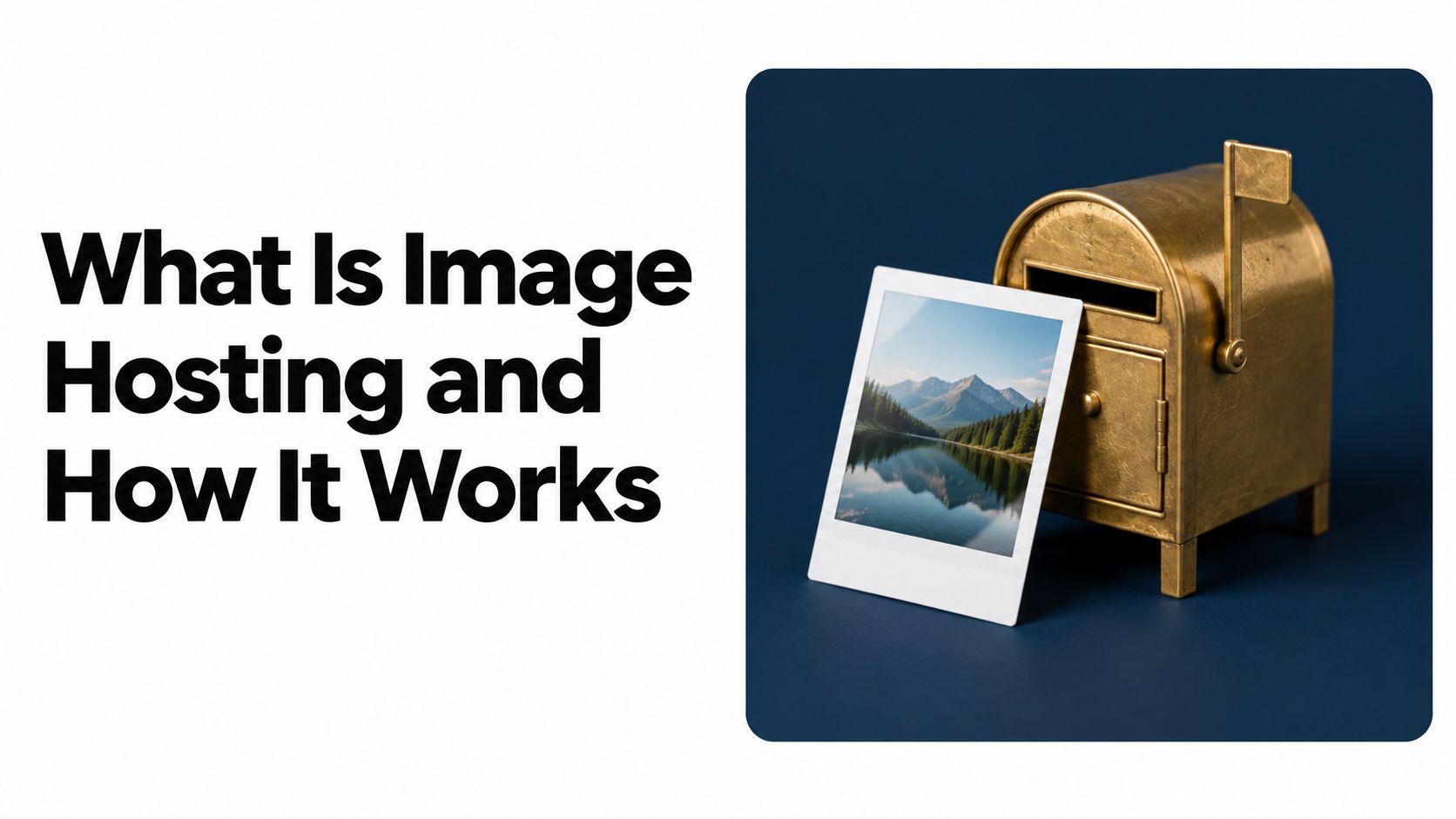
Image hosting is the practice of storing digital images on a remote server and delivering them through shareable web addresses, instead of keeping the file only on your device or your own website server. It solves the basic problem of getting an image online quickly, without asking you to manage server software or heavy attachments.
You've probably felt the pain already. A client wants the latest mockup, your email says the file is too large, and the version you sent last week is now buried in a thread or broken on a staging page. That's where image hosting becomes more than a photo album, it becomes a practical way to keep files reachable, reusable, and easy to share.
The Core Concept of Image Hosting
A good way to think about image hosting is to compare it with a public library. Your laptop or private folder is the bookshelf in your home, useful for you, but limited to whoever can reach it. Image hosting turns that one file into an independently addressable web resource with its own stable link, so other people can view it without needing your device or your site server.
That's why the idea became so useful so quickly. Flickr launched on February 10, 2004, and combined remote image storage with public pages, sharing, metadata, tagging, and community interaction; by the end of 2005, it had posted more than 100 million photographs and saw measured online traffic increase by 448% between December 2004 and December 2005, reaching 3.4 million according to EBSCO's overview of Flickr. The point wasn't just to store pictures, it was to make them accessible through a link.
Practical rule: if someone else needs to open, embed, or reuse the file later, hosting beats sending the file around as an attachment.
That change matters for freelancers, educators, and anyone sending visuals as part of their work. A hosted image can live inside a portfolio page, a proposal, a forum post, a help document, or a product update without asking the reader to download anything first. The link becomes the asset, and the asset stays available as long as the host keeps it online.
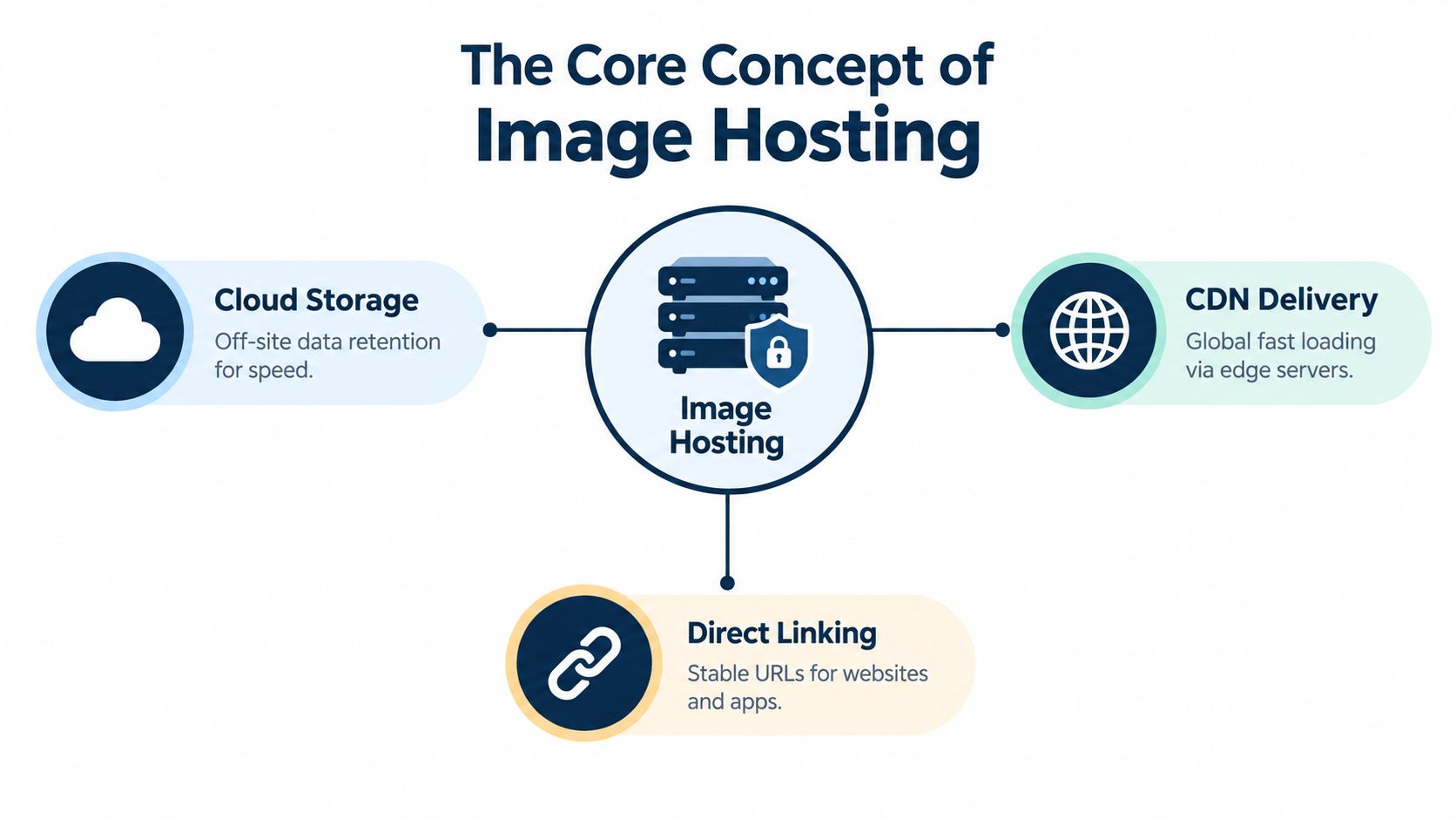
This is also why image hosting is more than storage. It changes the file from something local and fragile into something web-native, which means you can link it, embed it, organize it, and reuse it across places without re-uploading every time. For a non-technical freelancer, that can mean fewer broken links and less time hunting through folders for the right version.
How Modern Hosting Workflows Operate
A modern workflow usually starts with one simple action, dragging files into a browser window. That's a huge shift from older publishing habits, where you'd need to think about upload paths, server access, or whether a file was in the right folder. The user just wants to share a portfolio image or a PDF proposal, not become their own webmaster.
A practical example helps. Say you've finished a client deck with supporting images and a PDF preview. You upload the files, the service gives you a clean URL, and you share that link in email or chat instead of attaching several large files. If the platform also gives you an SSL-protected address and a QR code, the same link works for desktop reviews and phone-based sharing.
The advantage is that the infrastructure disappears from view. The host handles the storage location, the web address, and the delivery path, while you stay focused on the asset itself. That's why many people prefer a browser-based upload flow over a setup that forces them to think about deployment.
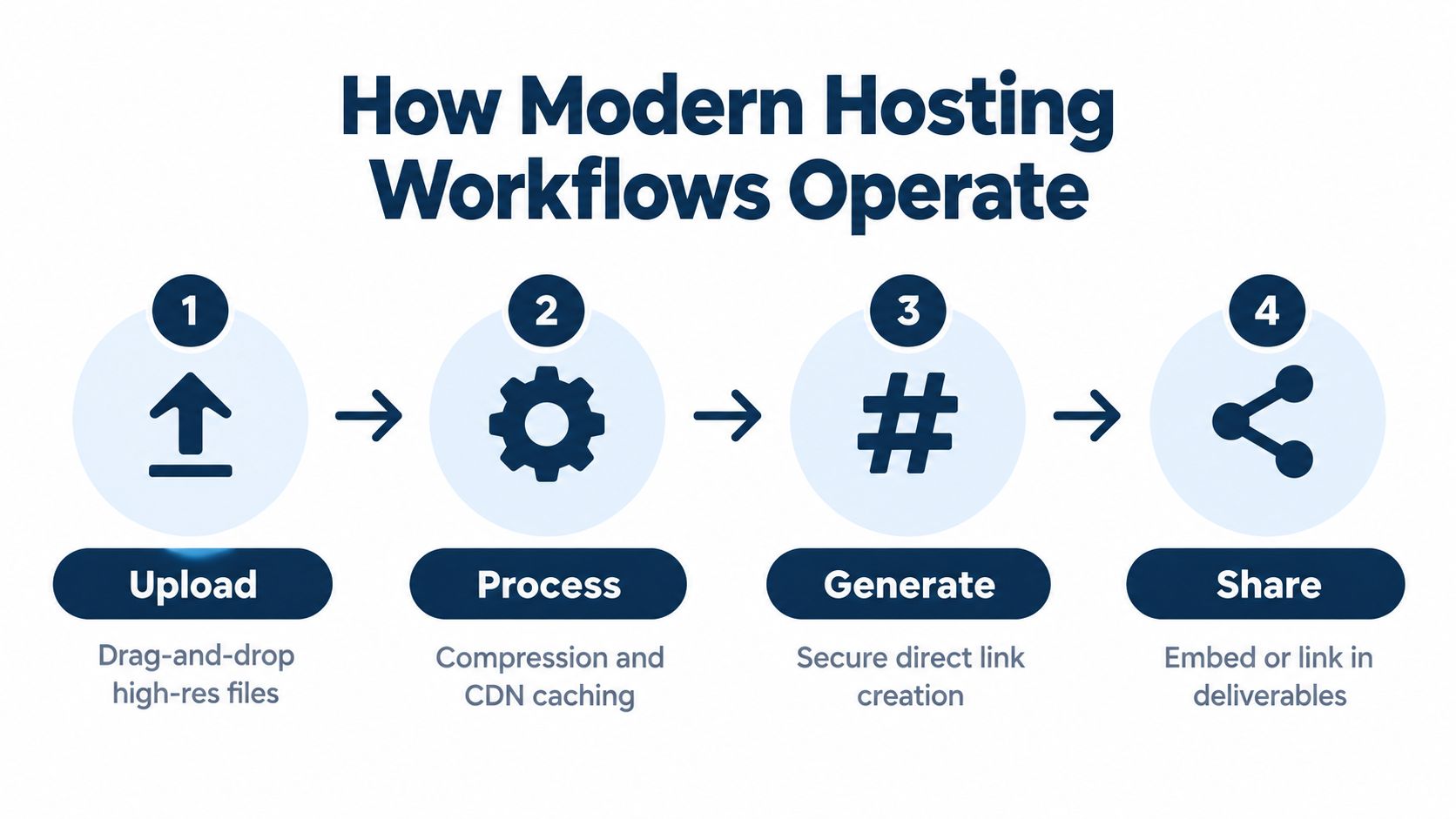
The internal workflow is usually built around a few quiet steps:
- Upload the file. You drop in the image, PDF, or folder.
- Process it automatically. The host checks the file, prepares it for web delivery, and assigns a public address.
- Generate the shareable link. The URL points directly to the asset.
- Send or embed it. You paste the link into a page, document, email, or message.
A service such as this static-file hosting workflow follows that same logic for folders and documents too, which is why the user experience feels closer to publishing than to traditional file transfer.
Modern hosting works because it removes the steps that usually scare off non-technical users. There's no need to configure a server just to make one image visible to a client. The link is the product.
Essential Features for Professional Use
Not every image host is built for professional work. A gallery that's fine for casual sharing can fall apart when you need a stable link for a client preview, a public document, or a page that needs to stay live after revisions. The features that matter most are the ones that protect your links, your speed, and your control.
A professional setup should start with fast delivery. Content delivery networks matter because they help files reach viewers from a closer location, and production hosting should also return the correct MIME type, use cache-control headers, and serve files over HTTPS as outlined in web performance guidance and web.dev's image guidance. Those details sound technical, but the outcome is simple, pages load more smoothly and links behave more predictably.
The features worth checking first
A stable URL is more valuable than a pretty gallery when the image is part of a live workflow.
Look for these controls when you're choosing a host:
- Persistent links. You should be able to replace a file without breaking the existing address.
- Privacy controls. Password protection, unlisted links, and expiring access matter when you're sending drafts or proofs.
- Branding options. Custom domains help a portfolio or client asset feel like part of your own work, not a random file dump.
- Automation support. If you publish often, API access saves time and reduces manual uploads.
QR code generation is another quiet win. It makes a hosted image or document easier to open on a phone, which helps when you're sending proofs to clients, sharing workshop materials, or displaying a link on a printed handout. That's not a flashy feature, but it removes friction where people feel it.
If you're comparing services, think in terms of access and governance, not just storage. Can you revoke a link? Can you replace a file without changing the URL? Can you keep a draft private until approval? One practical option in that category is Upfling, which publishes uploaded images, PDFs, and folders to live URLs with access controls and analytics.
Real-World Applications Across Industries
The strongest use cases for image hosting appear when a file needs to move through more than one person's hands. A freelancer can share a portfolio image with a client, then update the asset later without changing the link. A job seeker can send a resume preview or project sample as a clean URL instead of a messy attachment chain. An educator can distribute workshop visuals and handouts without relying on a shared drive that expires or blocks access.
Where stable links matter most
Stable links become especially useful in situations where the file is part of a review cycle. A client can open the same URL today, tomorrow, and next week, even if the file content gets replaced behind the scenes. That reduces confusion, because the conversation stays attached to one address instead of drifting across multiple versions.
For indie makers, image hosting also helps with launch pages and simple product assets. A screenshot, hero image, or mockup can live at a direct URL and be dropped into a landing page or message thread without extra deployment steps. That keeps the publishing process lighter, especially when you're working alone and don't want to maintain a full build pipeline for small updates.
Practical rule: if the asset is meant to be reviewed, shared, or reused outside your own folder, give it a stable URL early.
For educators and workshop hosts, the value is similar. A single link can point to a slide image, a diagram, or a class handout, and participants don't need access to your whole storage account. That makes hosting useful for materials that should be easy to open but not widely editable.
This portfolio hosting page fits that kind of workflow when the goal is to publish visual work as a live page instead of a local file. The larger lesson is that image hosting isn't just for pictures, it's for distributing work in a format that other people can reach immediately.
Avoiding Common Performance and Privacy Pitfalls
The easy mistake is treating image hosting like a neutral bucket. In practice, the choices you make around size, accessibility, and privacy affect whether the file is usable. Images often make up a major share of page weight, and on Cloudflare's median web page they account for 51% of all bytes loaded according to Cloudflare. That means a large image can slow down a page faster than almost anything else.
The fix starts before upload. If a client only needs to view a portfolio image on the web, don't send a full camera-sized original when a smaller version will do. The important question is not whether the file is high quality in the abstract, it's whether the viewer needs that much data just to see the page.
Accessibility belongs in the workflow
Alt text is part of hosting in practice, even if it lives in the HTML around the image. The W3C says informative images need short text alternatives, decorative images should use empty alt text, and linked images should describe the function of the link W3C H37 guidance. The Australian Government Style Manual also recommends alt text of less than about 100 characters for informative images and says decorative images should use alt="" style guidance.
A few simple rules help:
- Describe the meaning. Say what the image helps the reader understand.
- Keep it short. Don't list every visual detail if the image is informative.
- Match the role. Decorative divider? Leave the alt text empty.
- Include visible text. If text appears inside the image, make sure the alternative captures it.
Privacy matters just as much. Hosted images often carry metadata, and the publisher should know whether location data, camera information, or author fields are removed before sharing. That's especially important for resumes, proofs, classroom material, or unpublished creative work, where the link itself may be public even if the content started private.
Permanent links and access controls help, but they don't replace judgment. If a file shouldn't live forever, or shouldn't be reusable once a project ends, choose a host and a workflow that let you revoke it cleanly.
Choosing the Right Hosting Approach
The choice usually comes down to how much setup you want to carry. Traditional deployment workflows can be fine for full websites, but they often ask you to manage repositories, build steps, and publishing logic just to get a file online. That's a lot of machinery if your real need is just a stable link for an image, PDF, or document.
A drag-and-drop host is easier for people who care about speed and clarity. You upload the asset, get a live URL, and share it right away. For freelancers, job seekers, educators, and solo founders, that usually feels closer to sending work than to deploying software.
The decision is simpler if you ask three questions:
- Do I need a live page or just a file link?
- Will I replace the asset later without changing the address?
- Do I need privacy controls, analytics, or custom branding?
If the answer to those is yes, a modern hosting workflow usually fits better than a build-based one. If the answer is no and you're only storing personal files, simpler storage may be enough. The key is to match the tool to the job, not to the vocabulary around it.
Image hosting matters because it turns a file into something people can use in context. If you want a simple way to publish images, PDFs, and folders as live shareable URLs, take a look at Upfling. It's built for stable links, access controls, and quick sharing, so you can move from file to delivery without extra deployment work.
Made with Outrank app