Open Zip Files Online: 8 Safe Tools for Beginners in 2026
Compare 8 tools to open ZIP files online with safety tips, practical examples, and guidance for beginners in 2026.
You receive a ZIP file from a client, supplier, or friend, and you need to see what's inside within minutes. It might contain a website template, course notes, brand images, a résumé, or documents you weren't expecting. The file looks simple, but opening it means choosing between convenience, privacy, compatibility, and safety.
This guide covers eight practical ways to open ZIP files, from tools already installed on your computer to browser viewers and hosting services. Each option fits a different situation, and each includes a quick safety check before you open an unfamiliar archive.
1. Archive Utility on macOS
If you use a Mac, Archive Utility is usually the simplest place to start. It's built into macOS, works directly from Finder, and doesn't require another installation. Double-click a ZIP in your Downloads folder, and macOS extracts the contents into a nearby folder.
A Mac user downloading a website template from a designer's portfolio can open the ZIP and find the HTML, CSS, images, and scripts ready for editing. An educator receiving class materials by email can extract the archive into a new folder, then move that folder to a shared drive for students.
What makes it useful
Archive Utility keeps the process quiet and familiar. It can extract files in the background, so a large archive may continue working while you do something else. Check Notification Center if you want to see whether extraction has finished. Extracted files also retain their original creation dates, which can help when sorting downloads by source date.
If a ZIP doesn't open automatically, control-click it and choose Open With, followed by Archive Utility. You can also create a new ZIP by selecting a folder in Finder, control-clicking it, and choosing the compression option.
Quick safety check: Before double-clicking an unfamiliar ZIP, control-click it, inspect its filename and source, and confirm that you expected the download. After extraction, don't open executable files, scripts, or documents with macros unless you trust the sender and the stated purpose.
ZIP became publicly available on February 14, 1989, when PKWARE introduced PKZIP, created by Phil Katz as a replacement for ARC. Its lossless design reproduces the original data after extraction, while its central directory helps software identify entries and locate them efficiently. That broad compatibility explains why a folder containing HTML, images, PDFs, or scripts can still move easily between systems today. The ZIP format's history and structure are documented here).
2. Unzip Online
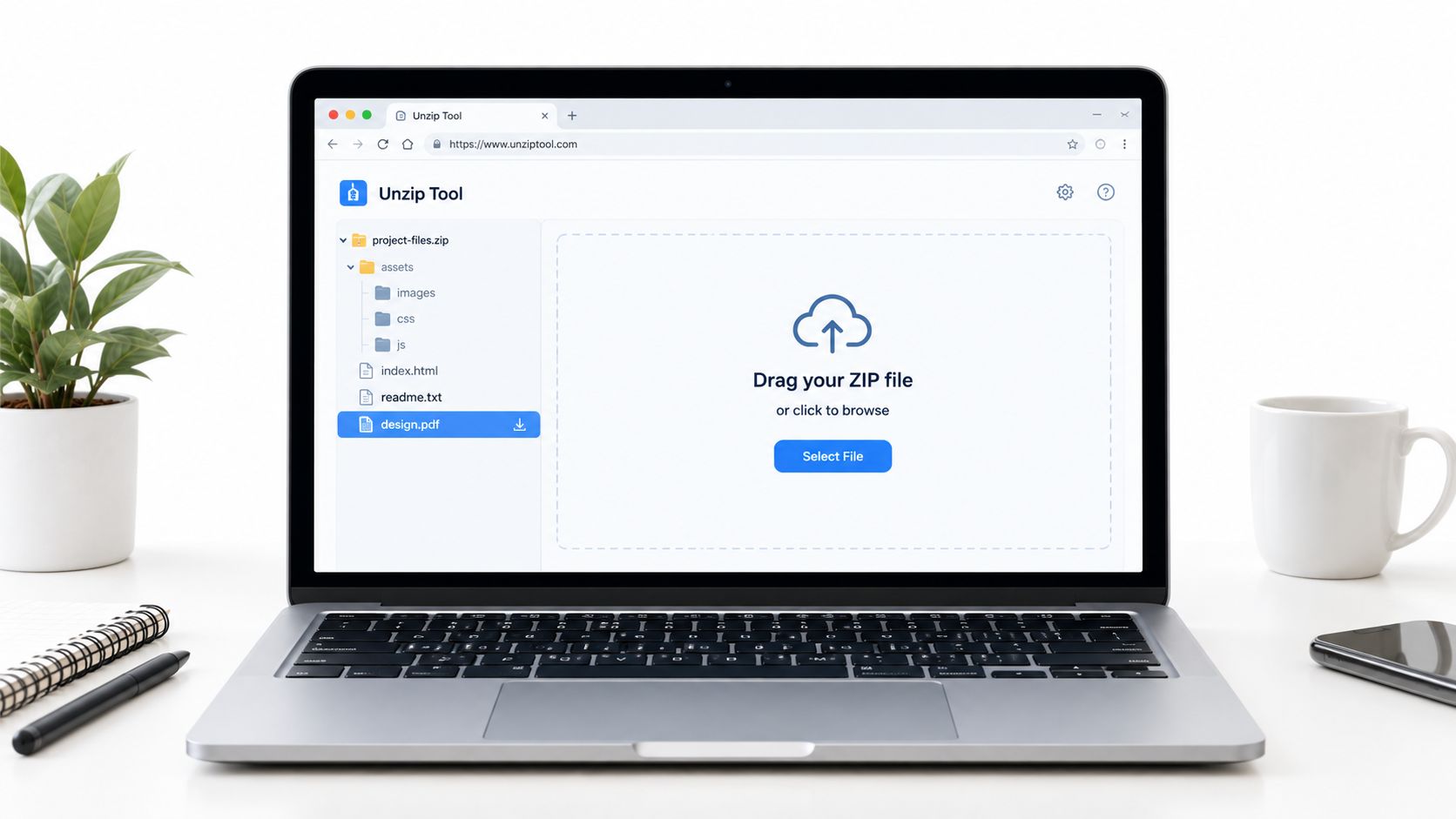
Unzip Online suits people who can't install software. Open the service in a browser, upload a ZIP, and view its contents in a file tree. You can download one file, several files, or the extracted archive, making it useful on a Chromebook, tablet, or shared computer.
A student might receive a course archive on a tablet and download only the PDF lecture notes. A freelancer working on a Chromebook might upload a client ZIP, extract the files, and save the results to Google Drive. The process is convenient because it avoids local installation and works wherever you have a browser and internet connection.
Convenience has a privacy cost
A browser-based extractor generally requires the archive to leave your device. That matters if the ZIP contains source code, contracts, credentials, customer lists, identity documents, or HR records. A desktop extractor is usually the better choice for confidential material because the archive can remain on your computer.
Online processing also depends on your connection. A weak mobile signal can make uploads and downloads frustrating, especially when the archive contains many files. On mobile, use stable WiFi where possible, and use a download-all option when you need the complete extracted package rather than one document.
Before uploading: Remove files you don't need, review the service's privacy and deletion terms, and don't upload an archive containing secrets simply because you need a quick preview.
A browser viewer can also expose a ZIP to security risks if it extracts files without sensible limits. Security guidance should distinguish listing filenames from extracting content. Look for suspicious paths containing parent-directory traversal, symbolic links, executable files, scripts, macros, double extensions, and an unusually large expansion compared with the uploaded archive. This practical privacy guidance explains the difference between browser-only viewing and server-side processing.
3. 7-Zip
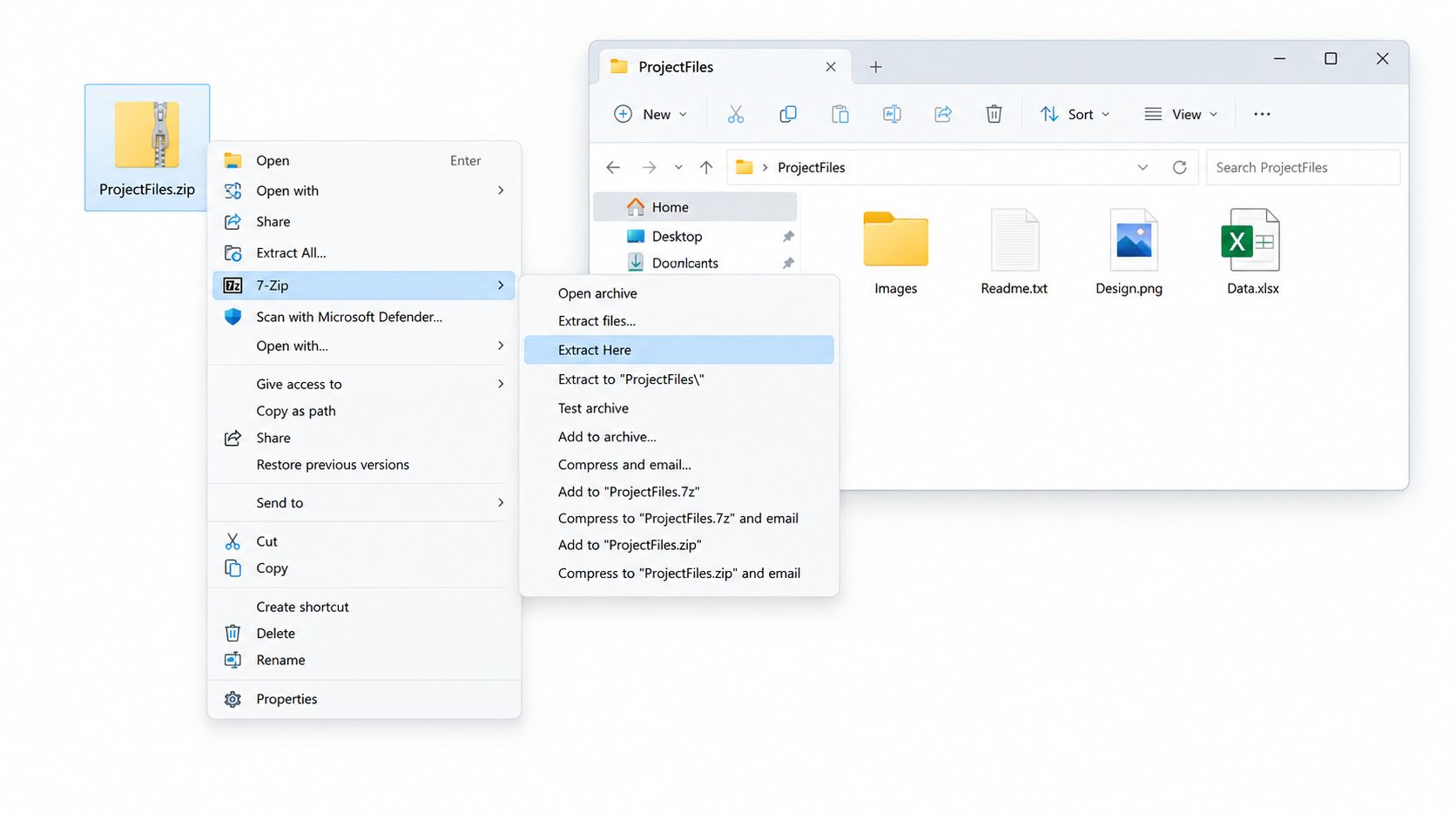
A recruiter sends a ZIP with forms, logos, and a few policy documents. On Windows, 7-Zip fits that job well because it works offline, opens common archive types, and puts the main actions in the right-click menu. Use Extract Here if you trust the source and want quick access. Use Extract to Folder if you want the contents kept in one new directory instead of scattered through the folder you are already in.
That second option is the safer default.
It helps in ordinary situations too. A job seeker can extract application templates and open the documents without installing a cloud service or uploading personal material. A small business handling recurring backup archives can also use 7-Zip in batches, which saves time when several ZIP files need the same action.
A practical workflow
Choose Extract to Folder for anything unfamiliar. If the archive contains scripts, executables, or a messy folder structure, keeping everything in its own directory makes review and cleanup much easier. Choose Extract Here for a ZIP you made yourself, or for files from a sender you already trust and recognize.
Before opening an unfamiliar archive, do a quick check. Scan the ZIP with current security software. Then open the archive in 7-Zip and review the file list before extracting everything. Look for filenames that do not match the sender's explanation, double extensions, or folders nested far below the expected level. Don't run a file just because the name looks familiar.
If extraction fails, inspect the archive entries in 7-Zip before trying again. A broken download often needs a fresh copy more than it needs repair. For a website project, keep the extracted HTML, images, and scripts in a separate working folder so you do not mix them with personal files or publish the wrong content later. This guide to static websites explains how those files work together.
7-Zip also gives you a practical way to judge performance without relying on a generic web benchmark. Its built-in benchmark shows how your own machine handles different compression methods, which is more useful when you are deciding whether a slow extraction is caused by the archive, your storage, or the system itself.
Large archives still take time. Transfer speed, disk access, the number of files inside, and decompression all affect the wait. A small ZIP can also expand into a much larger folder tree, so file size alone is not a safety check.
4. The Unarchiver on macOS
The Unarchiver is useful when Archive Utility handles ordinary ZIP files but you regularly receive other archive types. It integrates with Finder and supports formats such as RAR, 7z, and TAR, so you don't need to search for a different application each time a collaborator sends something unfamiliar.
An audio engineer receiving a ZIP of FLAC files can extract the music while preserving the information stored with those files. A Mac user working with overseas collaborators may receive RAR archives and prefer one consistent extraction tool rather than asking senders to change formats.
Where it earns its place
Set The Unarchiver as the default archive handler if you want archives to open with it automatically. You can also drag several archives into the application for batch extraction. If filenames contain accents or other non-ASCII characters, its encoding detection may handle them more reliably than a basic system workflow.
For a large archive, close applications you don't need. This won't make a damaged archive safe, but it can leave more system resources available while the files are extracted. Create a dedicated destination folder first, especially when the archive comes from someone you don't know well.
A password prompt doesn't automatically mean an archive is secure. ZIP supports several encryption mechanisms, but the sender must have created the archive with an actual encryption option. The recipient also needs compatible software and the exact password. The PKWARE specification describes ZIP encryption and the extraction process.
Quick safety check: Preview or list the archive where possible, then look for scripts, executables, macros, and suspicious filenames before opening any extracted file. Treat a password-protected archive as untrusted until you know who created it.
5. PeaZip
PeaZip works well for users who want a cross-platform archive manager with more controls than a basic extractor. It runs on Windows, macOS, and Linux, and its open-source design makes it a practical choice for people who don't want a commercial licence for routine ZIP work.
A Linux developer receiving ZIP files from Windows colleagues can extract them through a graphical interface instead of using command-line tools. A professional who receives a corrupted download can try PeaZip's repair utility before assuming that every document is lost. Repair may recover usable entries, but it can't guarantee that a damaged archive will be restored completely.
Useful features for shared computers
The portable version can help when you're using a school or shared computer without administrator rights. Context-menu integration makes common actions quick, and the option to create password-protected archives is useful when you're sending sensitive documents.
For example, a professional could place a résumé and identity documents into an encrypted archive before sending it. Compression alone only packages the files. It doesn't protect them. Choose modern encryption where the software supports it, and send the password through a separate channel rather than in the same email.
Don't confuse a locked ZIP with hidden metadata: Filenames, dates, sizes, file attributes, CRC values, and compression ratios can remain visible even when stored file contents are encrypted. WinZip's explanation of ZIP encryption shows what directory information may remain exposed.
That means a filename such as passport-scan.jpg may reveal more than you intended. Use neutral filenames before compression when the archive might pass through an online service or an email system. Also remember that encryption doesn't hide who received the archive or that the archive exists.
6. WinRAR
WinRAR is a commercial archive manager that opens and creates ZIP files as well as its native RAR format. It fits professionals who receive a mixture of archive types, need a preview pane, or regularly work with damaged downloads and recurring compression tasks.
A graphic designer can open a client's ZIP, inspect the image list in the preview pane, and extract only the high-resolution PSD files needed for the current project. A professional dealing with a corrupted download can try the repair utility before requesting the archive again.
Preview before extracting
The preview pane is useful because it lets you confirm whether the archive contains what the sender described. If an email says it contains brand assets but the listing includes an executable file, a script, or unrelated documents, stop and verify the sender through another method.
WinRAR can also help with scheduled compression tasks for regular backups. That convenience doesn't remove the need to store backups securely or test whether the resulting files can be opened. A backup that has never been checked is only an assumption.
Quick safety check: Verify the sender independently, preview the file list, and scan the archive before extraction. CISA recommends analyzing compressed and encrypted formats because attackers can use them to conceal malicious attachments; organizations unable to inspect encrypted archives may consider blocking them or allowing only trusted senders. Read CISA's compressed-attachment guidance.
An unexpected archive named invoice.zip deserves extra caution, even if it comes from a familiar-looking address. Confirm that the person sent it, check that its contents match the stated purpose, and don't open a file with a misleading double extension such as a document name followed by an executable extension.
7. CloudConvert
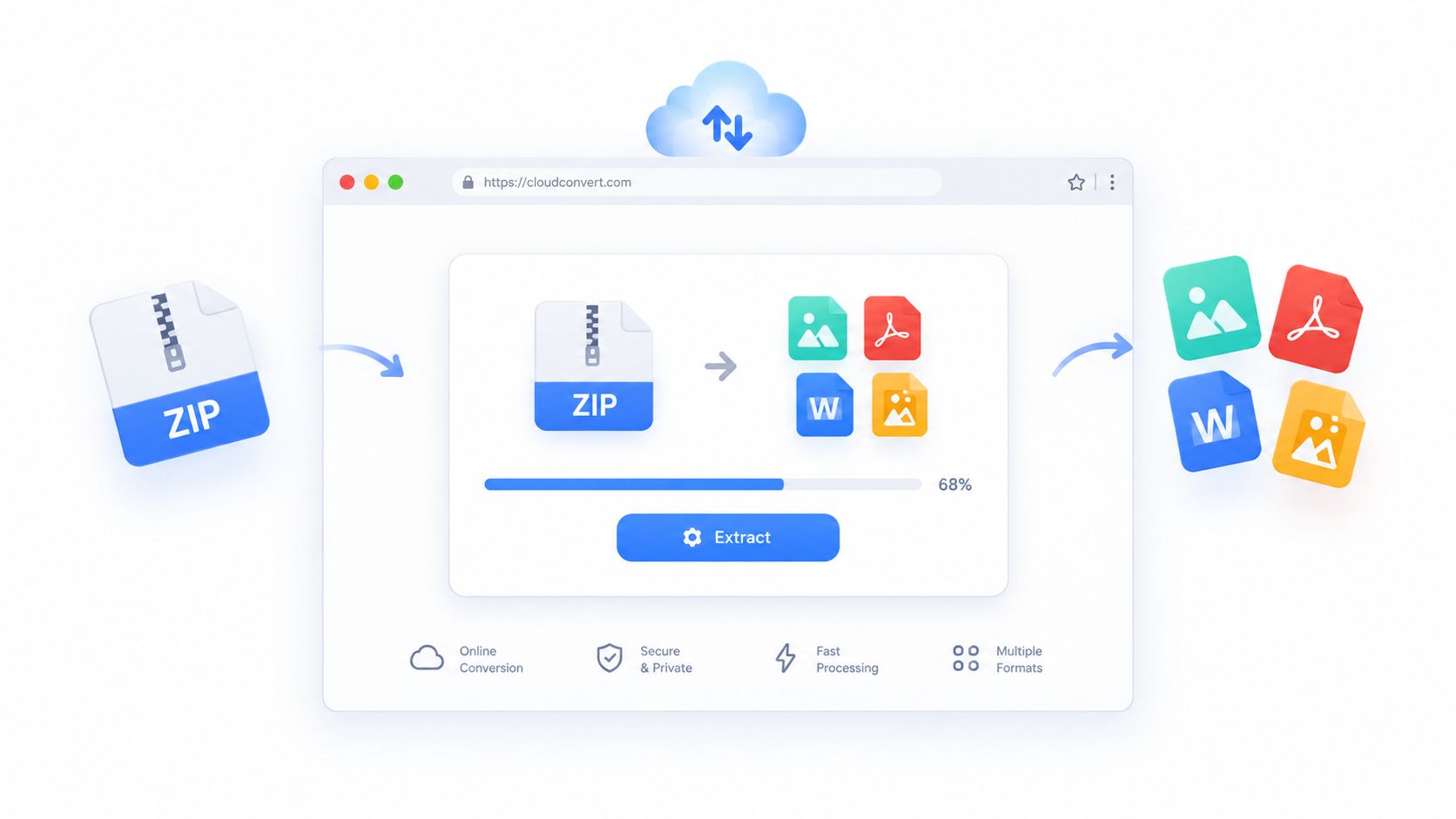
CloudConvert fits the job when extracting a ZIP is only part of what you need to do. A common case is receiving a ZIP full of design files, reports, or forms, then turning the contents into a format people can use. If the archive is routine, known, and headed straight into a conversion workflow, a browser-based service can save time.
That convenience changes the risk.
You are not just opening a ZIP on your own device. You are uploading the archive, and possibly every file inside it, to a third-party system. For public materials or ordinary working documents, that may be acceptable. For contracts, identity records, customer data, private keys, or internal financial files, it often is not. Check retention, deletion, storage location, access controls, and whether the service keeps files longer than you expect.
When automation helps
Automation makes sense when the input is predictable. A team might receive the same kind of archive every week, extract only expected PDF files, and place them in a restricted folder for review. That is a better fit for a cloud conversion pipeline than a one-off personal ZIP from an unknown sender.
Set limits before you trust the workflow. Restrict archive size, number of files, allowed file types, and total extracted output. A small ZIP can still expand into a very large amount of data, and that can create cost, delay, or security problems.
Speed is another trade-off. Local tools usually feel faster for simple extraction because nothing has to be uploaded first. With an online service, the ZIP has to travel to the service, processing has to finish there, and the output has to come back. For a few small files, built-in system tools or a desktop archiver are often simpler. Cloud conversion is more useful when extraction and format changes happen together.
Use a keep-files setting carefully. If you only need to inspect files and move on, leaving extracted documents in an account creates one more place where they can linger. If your real goal is to publish or deliver a document cleanly, share a PDF online with a focused publishing workflow instead of treating a conversion account like long-term storage.
Quick safety check: Before uploading an unfamiliar archive, preview its file names locally if possible, remove anything unnecessary, and avoid sending sensitive material to a cloud converter just for convenience.
ZIP files can also hide dangerous content. Security researchers and incident responders continue to warn about ZIP bombs, path traversal, symbolic links, malformed headers, and archive handling flaws that write files outside the intended folder or crash systems during extraction. This security overview explains why a ZIP should be inspected before extraction.
8. Upfling
Upfling fits a different need. You may not want to read individual files inside a ZIP. You may want to turn a website folder, PDF collection, image set, or packaged document set into a link that someone else can open.
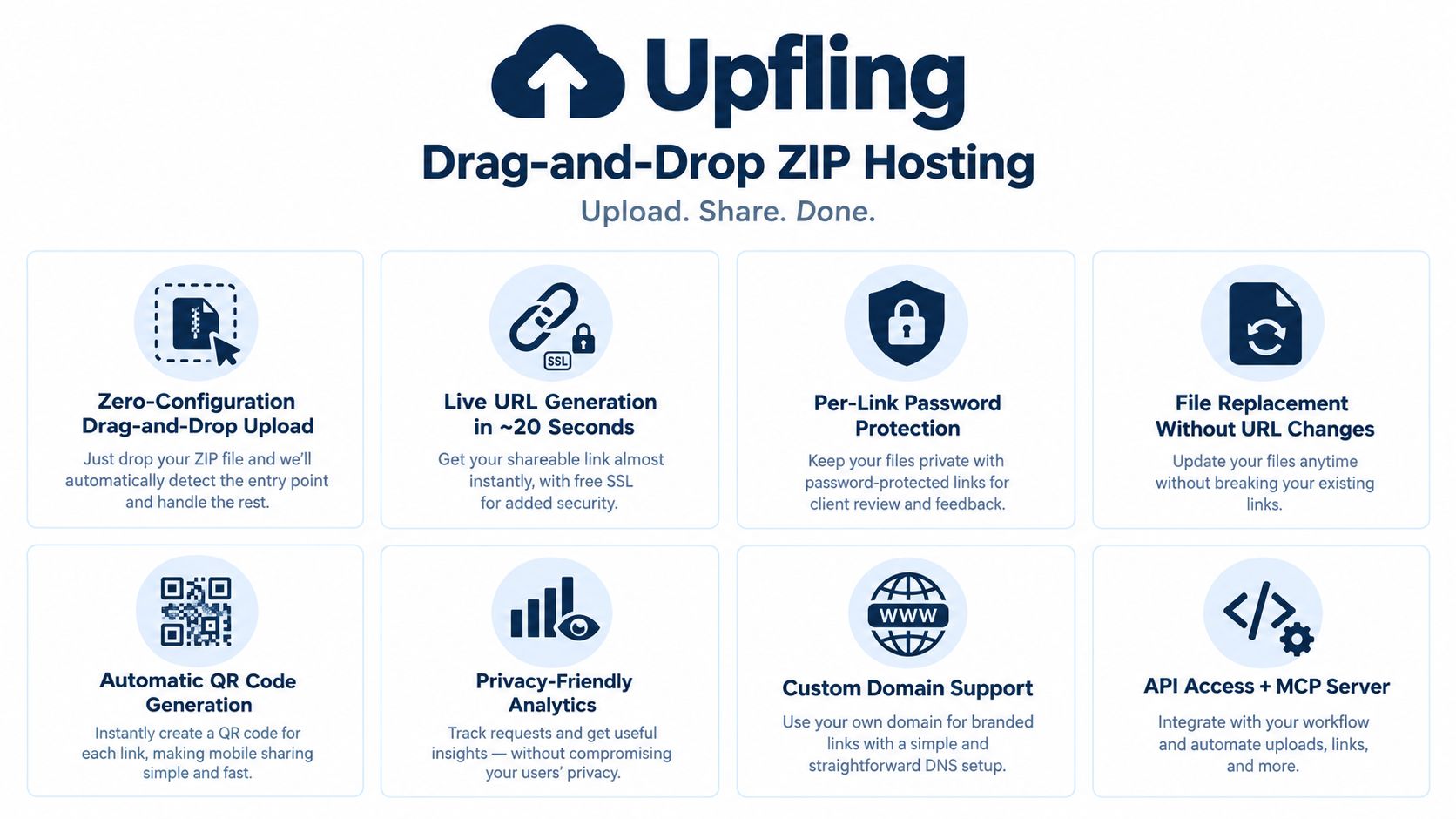
A freelance web designer can drag a client's HTML archive into Upfling, receive a live staging URL in approximately 20 seconds, and send a password-protected link for review. A maker can publish a landing page generated by ChatGPT without setting up a Git repository or build pipeline. An educator can upload a web-based workshop and share its QR code in printed class materials.
From archive to shareable URL
Upfling supports ZIP archives, HTML folders, PDFs, images, documents, and spreadsheets. It automatically looks for an entry page, scans uploaded files for phishing and malware, provides SSL on links, and can create custom domains. Including an index.html or README.md gives the service a clear starting point, particularly for AI-generated folders.
The service also supports persistent URLs, file replacement without changing the address, password protection, slug renaming, QR codes, analytics, and API access. Those features are useful when a client needs repeated previews rather than a one-time download. You can replace the files behind an existing link as feedback arrives, so recipients don't need a new address each time.
Quick safety check: Review the archive locally before uploading it, remove secrets and unrelated files, confirm that the entry page is the one you intend to publish, and enable password protection for private client reviews.
Hosting isn't the same as private local extraction. A live URL makes the selected files available to anyone who obtains the address unless you add appropriate access controls. It also doesn't make a malicious archive safe merely because the platform scans it. Check the files, keep active content limited to what the site needs, and don't publish credentials or confidential source material.
If your goal is to create a clean public address from a ZIP rather than ask recipients to install an extractor, turn a file into a shareable link with Upfling. The distinction matters: a browser viewer helps you inspect an archive, while hosting helps other people access the finished files.
Open ZIP Files Online: 8-Tool Comparison
| Tool | Core features & formats | UX / Speed & ease | Value proposition (unique selling point) | Target audience | Price & privacy |
|---|---|---|---|---|---|
| Archive Utility (macOS) | Built-in ZIP extractor, preserves Mac metadata | Zero-config, fast native extraction via Finder | Instant, system-integrated unzip with minimal overhead | macOS users who need quick local extraction | Free, offline, local-only (good privacy) |
| Unzip Online | Browser-based ZIP extraction, file-tree preview | No install, works on any device; depends on internet | Quick one-off extractions on devices without software | Chromebook/mobile users, travelers, shared PCs | Free, cloud storage of files temporarily (privacy trade-off) |
| 7-Zip | 30+ formats, high compression, CLI support | Lightweight, fast offline, context-menu extraction | Powerful open-source extractor with strong compression | Windows power users, sysadmins, offline workflows | Free, open-source, offline (private) |
| The Unarchiver (macOS) | 30+ formats, preview pane, encoding fixes | Finder integration, simple macOS UI | Versatile mac-only extractor better than native tool | Mac professionals needing RAR/7z and non-ASCII support | Free (App Store), macOS only |
| PeaZip | 150+ formats, encryption, repair, portable build | Cross-platform, feature-rich but steeper learning curve | Comprehensive open-source archive manager with repair tools | Cross-platform users, privacy-focused and advanced users | Free, open-source, offline; portable option (private) |
| WinRAR | ZIP/RAR/40+ formats, preview, repair, encryption | Polished GUI, fast extraction, commercial feel | Strong repair & preview features for professional workloads | Designers, media pros, enterprise users | Paid (trial available), proprietary |
| CloudConvert | 200+ formats, ZIP extraction + conversions, API | Cloud-based batch processing; depends on internet | Multi-format conversion + extraction with developer API | Creators, devs automating conversions and workflows | Free tier (limits), paid plans; GDPR-aware temporary storage |
| Upfling (recommended) | Drag-and-drop ZIP/site upload, auto entry-point, live URL, SSL, QR, password, replace files, analytics, API | Zero-config publishing, live link in ~20s, stable URLs | Instant static hosting and shareable URLs from ZIPs, fast staging, file replacement without URL changes | Freelancers, indie makers, agencies, AI-generated site publishers | Free plan (no card) with limits; paid tiers for unlimited traffic, privacy-friendly scanning |
Pick the Simplest Tool That Fits, and Check Before You Open
Start with the tool already on your computer. On macOS, Archive Utility handles ordinary ZIP files without extra setup. On Windows, a desktop archiver gives you more control over extraction and inspection. If you work across operating systems or receive RAR, 7z, and TAR files, a dedicated archive manager can save time.
Use a browser viewer when installation isn't practical, such as on a Chromebook, tablet, school computer, or temporary workstation. The trade-off is that you may upload the entire archive to a third party. That's fine for a disposable download you trust, but it's a poor choice for contracts, credentials, source code, customer data, or identity documents.
Use conversion services when the ZIP is part of a repeatable file workflow. Extracting a document and converting it immediately can be efficient, especially for controlled business processes. It isn't a substitute for reviewing retention rules, scanning files, and restricting what the workflow accepts.
Choose hosting when the actual objective is sharing a working website, PDF, image collection, or document package. A recipient who only needs to review a page shouldn't have to download an archive, install software, extract files, and find the correct entry point. Upfling can turn the uploaded folder or ZIP into a live URL, with SSL, optional custom domains, access controls, QR codes, analytics, and file replacement for ongoing reviews.
A safer opening routine
Before opening any unfamiliar archive, confirm the sender and expected purpose. List the filenames before launching files, scan the archive with current security software, and isolate extracted contents in a new folder. Pay attention to executables, scripts, macros, double extensions, symbolic links, suspicious parent-directory paths, and archives that expand far beyond what their compressed size suggests.
ZIP and RAR archives accounted for 44% of malware delivered in HP Wolf Security telemetry in 2022, compared with 32% delivered through Microsoft Office files. The archive share had increased by 11 percentage points from the previous quarter. Separate reporting on Cofense observations from May 2023 through May 2024 found ZIP files reached as much as 50% of observed archive activity in malware campaigns. These figures don't mean most ZIP files are dangerous, but they explain why compressed attachments deserve active inspection. HP Wolf Security's report provides the archive-malware figures and context.
Password protection adds another complication because automated scanners may not be able to inspect the contents without the password. Don't treat a password prompt as proof of safety. For an archive from an unknown sender, verify it through a separate channel, inspect it in an isolated environment when possible, and avoid opening files that don't match the sender's explanation.
Your best choice is usually the least complicated tool that meets the situation. Keep sensitive archives local, use online viewers for low-risk convenience, use desktop tools for control, and use Upfling when you need a safe, straightforward way to publish a finished set of files for other people to open.
Upfling turns ZIP archives, HTML folders, PDFs, images, and documents into live, shareable URLs with SSL, access controls, QR codes, analytics, and file replacement. If you want to move from merely opening a ZIP to sharing its finished contents without asking recipients to install software, visit Upfling.
Powered by Outrank