How to Delete Site Files Without Losing the Link
How to delete site files safely: soft delete with a 14-day restore, permanent removal, and what to do with the domain name.
You built a page in a chat, uploaded it, and sent the link. Now you've noticed an old phone number, a private client note, or the wrong resume. You want it gone, but you're not sure whether Delete will hide it for now, erase everything, or break the address you've already shared.
Learning how to delete site files starts with a simpler question: Do you want the content gone, the link gone, or both? Those are different jobs. You can often fix the content without losing the link, and you can sometimes take a site offline while keeping a way back.
Which Delete Matches What You Want
A designer wants yesterday's client preview offline but may need it Monday. A job seeker wants an old resume link to stop opening altogether. A workshop teacher wants last term's handouts gone while this term's page stays up.
Those situations need different buttons. Pick one row before doing anything else.
What each delete does
| Action | Visitors see | Can you undo it | Use it when |
|---|---|---|---|
| Soft delete to trash | Link stops showing the site | Yes, until the host destroys trash, after 14 days on Upfling | You may need the site back |
| Replace files, keep the URL | The new version on the same link | Old files are gone unless you saved a copy | The client link should stay |
| Delete one file | Rest of the site still opens | Re-upload that file | One PDF or image is wrong |
| Permanent delete | 404 or 410, nothing served | No from the host | The content must stop opening |
| Suspended by the host | A notice page, files kept | Yes, once the account is in good standing | Unpaid plan or a safety hold, not your delete |
| Cancel the hosting plan | Site may keep serving, then a notice | Files often stay; live status may not | You are leaving the host |
| Release the domain | Host link can still exist; the name can be taken by someone else | Only inside the registrar's grace windows | You truly want to give up the name |
| Search removal only | The page can still open | Results can return in about six months if the page is live, according to Google's search-removal guidance | An old snippet is the problem |
Choose what should happen to the address
Replacing files makes sense when the address is already in a client's inbox or printed on a handout. The visitor should reach the corrected version, not a missing page. Deleting the whole site would create a problem you didn't need.
For the teacher, removing an outdated PDF is enough. Removing its button from the class page isn't enough, though. Someone who saved the PDF's direct address could still open it until you remove the file itself.
Practical rule: If the content is wrong but the destination is right, replace the content before considering deletion.
Separate access from ownership
Taking a site offline doesn't automatically stop a bill or give up a domain name. Likewise, cancelling a plan isn't a dependable way to remove sensitive material immediately. Treat access, billing, and ownership as separate decisions.
If you're unsure which uploaded folder belongs to the link, start with your website hosting workspace and match the address before choosing an action. Don't identify a project only by its thumbnail, especially if several previews look alike.
Write down the live URL, any custom domain, and whether that domain still receives email. Keep that note beside you while you work.
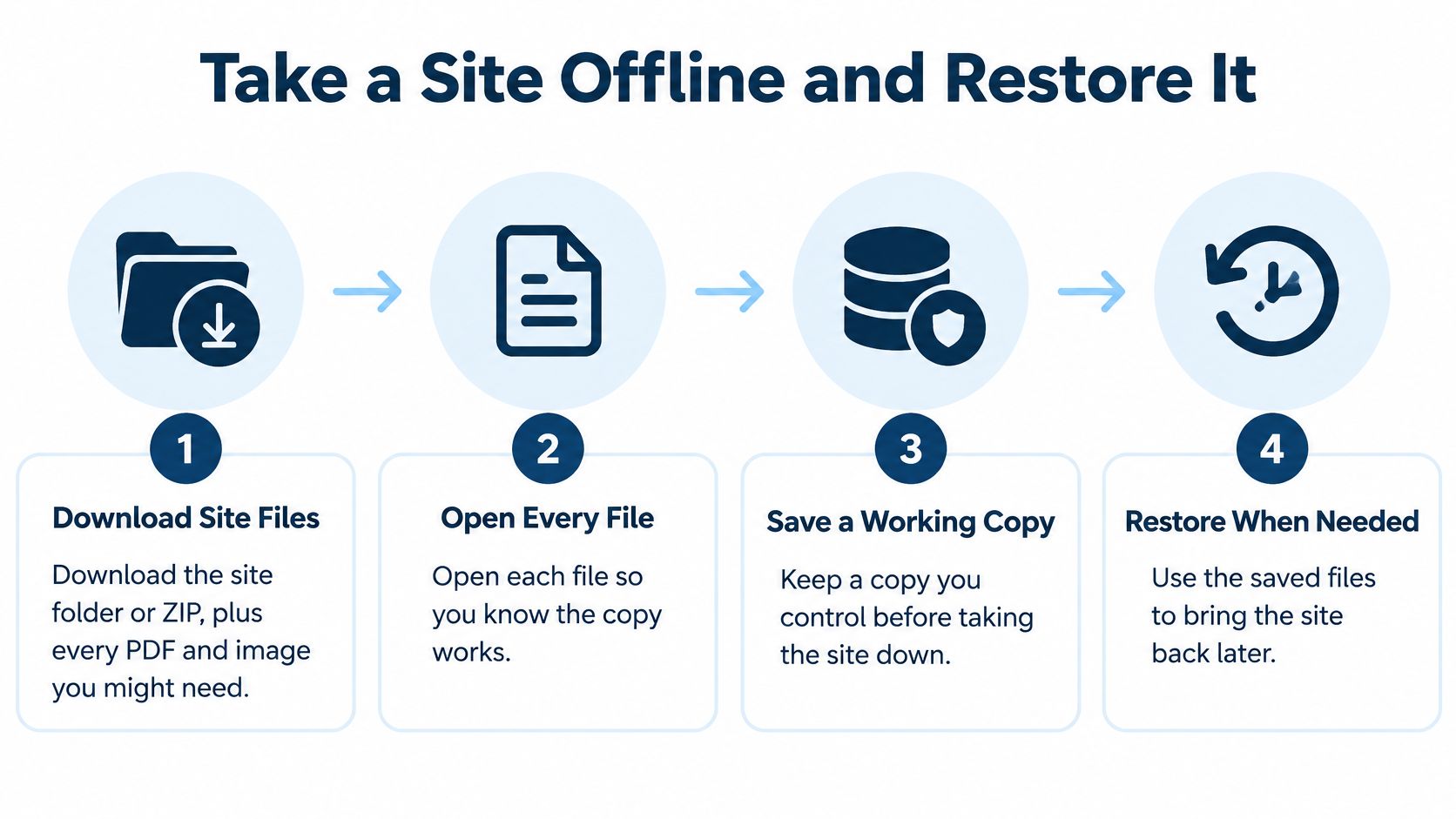
Take a Site Offline and Restore It
Use Upfling as a worked example. The useful order is the same elsewhere: save a working copy, confirm you control the right site, take it offline, and test the address as a visitor.
A designer preparing for Monday's review doesn't need to destroy Friday's work. They need to stop public access now and make a deliberate choice about restoring or replacing it later.
Save the work before touching Delete
Download the site folder or ZIP. Include every PDF, image, and document you might need again. Save it somewhere you control, rather than leaving your only copy inside the hosting account you're changing.
Open the saved files. Check that the resume opens, the images display, and the folder contains the page you meant to keep. A downloaded ZIP with the wrong project name isn't a useful recovery copy.
Sign in and claim the site. You can create an Upfling site without an account, but you must sign in to claim it. An unclaimed site is deleted automatically after 24 hours, so don't treat an anonymous upload as long-term storage.
If you arrived through free static site hosting, check that the address you shared is attached to your signed-in account. Copy the live address into your note so you can test that exact destination later.
The backup routine is straightforward:
Take the public page offline
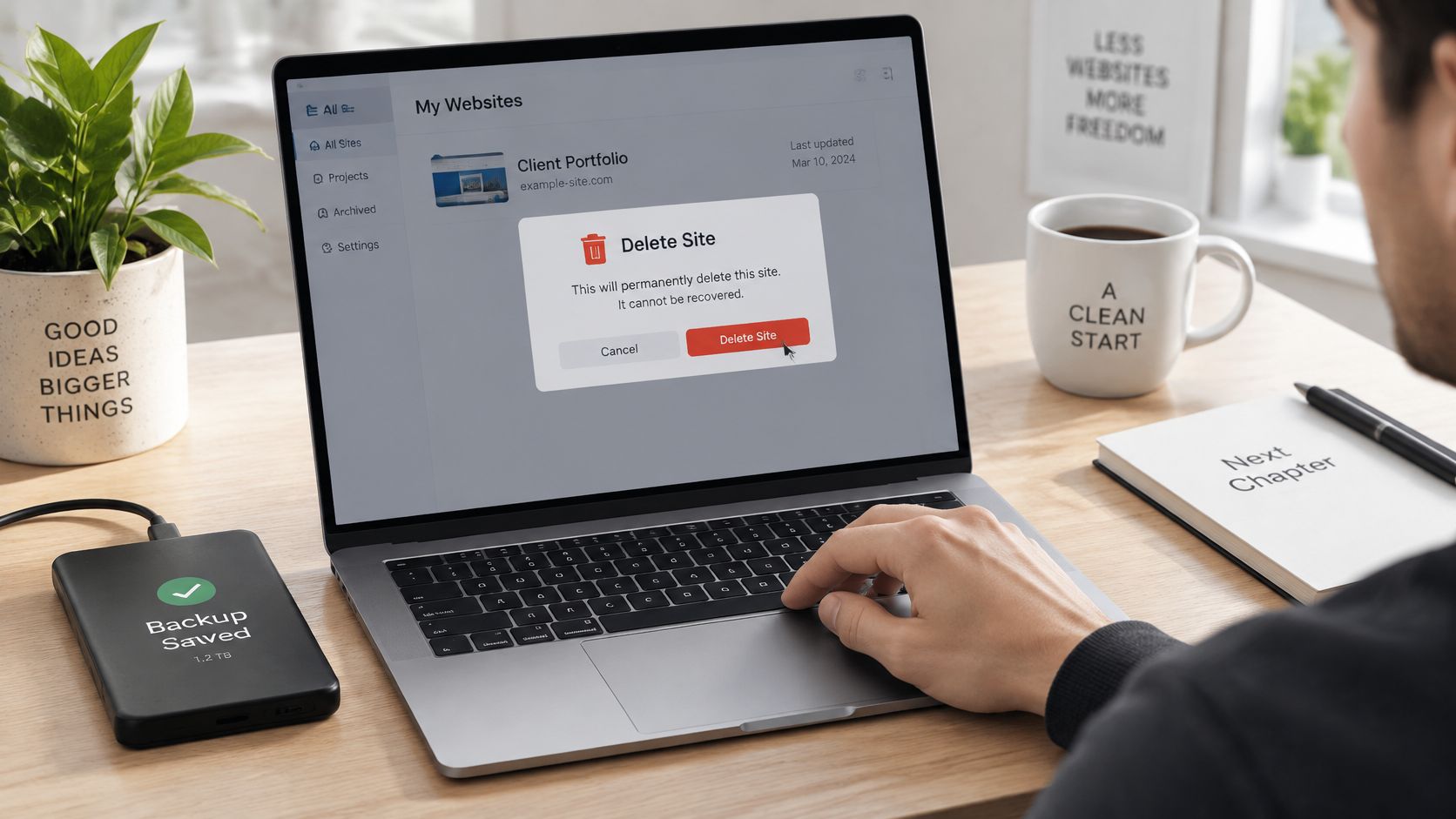
Open the site you intend to remove and choose Delete. Our ordinary delete action moves a site to trash. Visitors can no longer open the site, but the files remain recoverable during the trash window.
Open the old address in a private browser window. Paste the address you shared, rather than opening a preview from your dashboard. Confirm that the original pages no longer load.
The dashboard tells you what happened in your account. The private-window check tells you what someone else can reach. If you shared a direct PDF address as well as the main page, test that address too.
- Record the recovery deadline. Sites you delete yourself are permanently destroyed after 14 days. Restore from trash before that mark if you want the site back. Waiting until day 15 is too late.
For the designer, that means making the Monday decision while restoration is still available. Don't leave the only reminder in a message thread you may not reopen.
Restore, correct, or restrict access
To undo the takedown, restore the site from trash. Then open its public address again in a private window. Check the pages you need, not just the homepage.
If only a file is wrong, remove that file while leaving the rest of the site live. If you want the same address to show corrected material, upload a replacement instead. We also let you edit in the browser or rename the slug, the readable part of the link, but renaming isn't necessary for a content correction.
Use a password when a client still needs access. This is a better fit for a private review than repeatedly deleting and restoring the page. Share the password only with the people who should see the work.
A renamed link is a changed address. A replacement file is changed content. Choose the change you actually need.
A notice page needs a different response. A suspended site hasn't been erased, so don't assume it needs rebuilding from your backup. Subscribing again restores your plan limits, and emailing support will switch suspended sites back on.
Finish with one account decision: restore the site, leave it in trash intentionally, or replace its files. Don't leave it in trash merely because you haven't decided what to do.
How to Delete a Site for Good
Start by downloading anything you're entitled or required to retain, then open that copy. Permanent removal is appropriate for an old resume, invoice, or client document that must stop opening, not for a page you might want back next week.
CISA's business backup guidance recommends backing up before sanitizing or deleting data and warns that ordinary deletion doesn't necessarily prevent recovery from storage. Keep the distinction clear: removing public access and securely erasing every stored copy aren't the same thing.
Keep your working backup separate from the live site:
Make a complete removal list
List every public address. Include the main page, the custom domain, any www and non-www addresses you used, old slugs, and direct links to PDFs and images. Look through the messages where you originally shared them.
Mark what must remain private. A tax record may belong in a secure personal folder even though it must leave the public website. Don't keep an unnecessary duplicate of sensitive client material because you're making a backup.
Remove the actual files at the host. Deleting a navigation button or a link from the homepage doesn't delete its destination. If you're removing the entire site, include its documents and images, not just the page that introduced them.
Say your resume page contains a download button. Removing the page while leaving the resume PDF online still exposes the document to anyone who saved its address. Put both addresses on your list and check both.
Confirm the final state
Distinguish trash from destruction. On Upfling, a self-deleted site stays in trash until permanent destruction after 14 days. Note both the date you clicked Delete and the date final destruction should occur.
Use an appropriate missing-page response. Where your host allows it, set the old address to return 410 Gone, or 404 Not Found if 410 isn't offered. These are website response codes that indicate the content is unavailable, not instructions you need to type into the page.
Test from a phone where you aren't signed in. Open each saved address directly. If a document still opens, it still needs attention even if the homepage is gone.
A suspended site doesn't meet this final-removal test. Our suspended files stay in storage untouched, and visitors see a notice page instead of the site. That's an access restriction, not destruction.
For confidential information, also record any storage-retention obligations and request confirmation of the relevant deletion process. The NIST media-sanitization guidance distinguishes ordinary logical clearing from stronger purge or destruction methods. A public takedown alone isn't evidence that every backup has been sanitized.
The limit: A live-site delete can't erase screenshots, archived pages, or files someone already downloaded.
Keep or Release the Domain Name
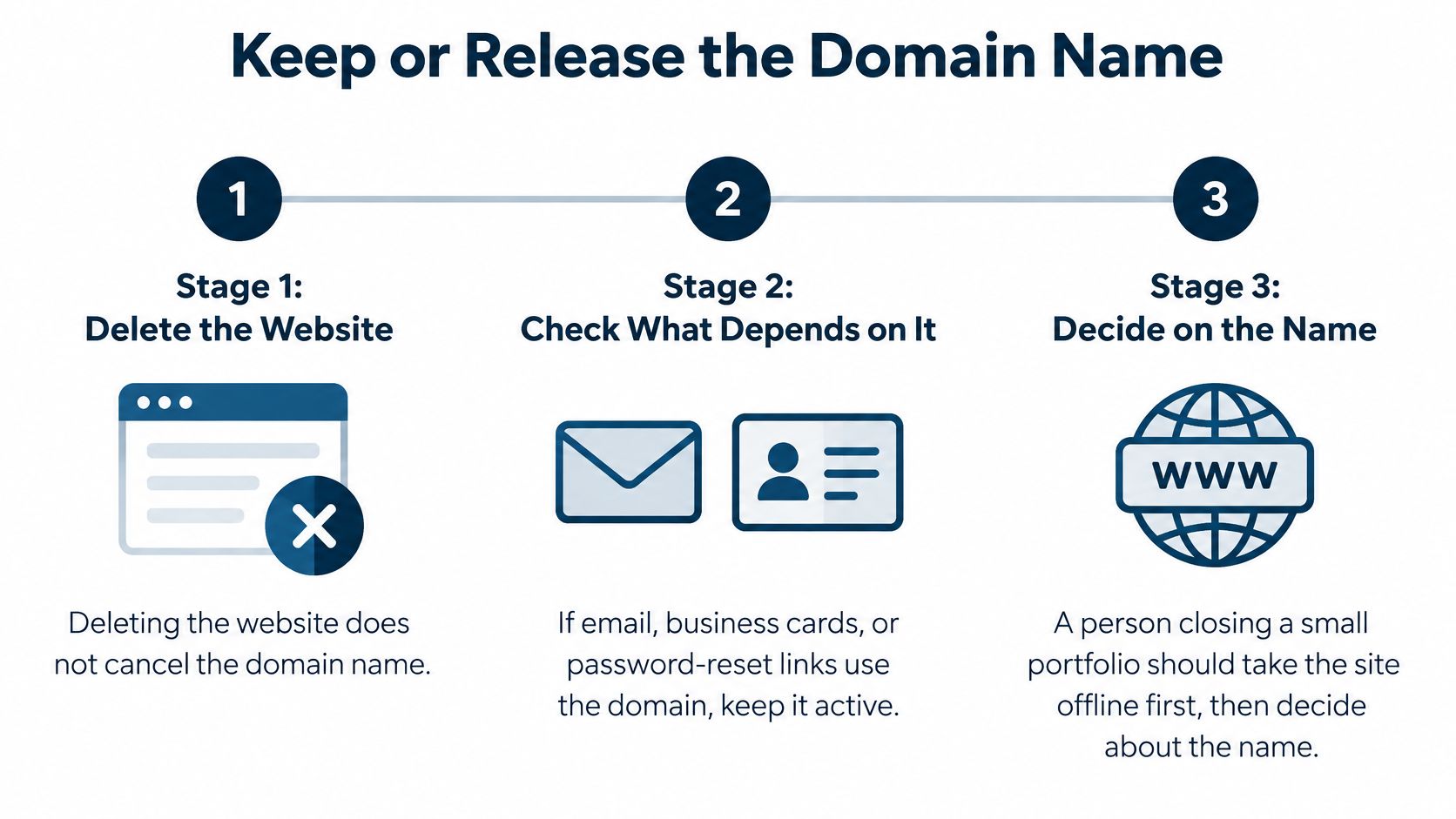
Deleting your website doesn't cancel its domain name. The domain is the name you registered, while hosting is where the site's files live. You can stop serving a portfolio without surrendering the name printed on your business cards.
Say you're closing a freelance portfolio, but clients still email you at that domain. Take the website offline first and keep the registration active. Giving up the name could disrupt more than the page you meant to remove.
Check what still uses the name
Before switching off renewal, look beyond the browser:
- Email: Check whether clients, employers, or family still send messages to an address using the domain.
- Account recovery: Update services that send password-reset messages to that email address.
- Printed material: Review business cards, workshop handouts, packaging, and signs.
- Shared destinations: Decide whether old visitors should reach a replacement page rather than a dead address.
This sequence keeps the website decision separate from the name decision:
If you want to surrender the name, turn off auto-renew through the registrar, the company managing its registration. That isn't the same action as cancelling hosting. Read the renewal date before confirming the change.
Know which clock is running
For generic domains covered by these rules, ICANN's expiration FAQs describe a 30-day Redemption Grace Period after registrar deletion, followed by 5 days in PendingDelete before release. ICANN's domain-owner guidance also describes an optional 1-to-45-day auto-renew grace period after expiration and warns that a registrar may delete a name as soon as it expires.
Domain and plan clocks after you stop
| Stage | How long | What you can still do |
|---|---|---|
| Before the domain expires | Until the renewal date | Turn off auto-renew; maintain registration if you need email to keep working |
| Auto-renew grace after expiry | The registrar-set window described above | Often renew at the normal price; some registrars delete immediately |
| Redemption Grace Period | The post-deletion window described above | Ask the registrar to restore it, often for a fee |
| PendingDelete | The final pre-release window described above | No restore; then anyone can register the name |
| Upfling plan cancellation | Rest of the billing period, then 30 days | Sites keep serving, then extra sites are suspended and files stay |
| Custom domain after cancellation | While the domain is paused | Visitors see a notice page, not the site and not a raw error |
If you make a mistake, contact the registrar the same day. Don't wait for hosting support to restore a registration it doesn't control. Once the name is released, someone else may register it.
Our cancellation process follows a separate schedule. After the hosting grace period, we keep the newest sites that fit the Free plan and suspend the rest without deleting their files.
Every custom domain on the account is paused after cancellation, including domains attached to sites that remain live. Those paused domains show a notice page, so keeping a site doesn't mean its custom address will continue showing it.
Clean Up Search Results and Old Links
A missing page can still have a visible search result. That doesn't necessarily mean your deletion failed. It means you need to check the search listing separately from the address itself.
For a job seeker, the difference is easy to spot. Clicking an old result may lead to a missing page, while the result still displays an outdated job title or phone number. Fixing the listing is a separate job from removing the resume.
Check what searchers can still find
Search the exact old page title and PDF filename. Make a note of results that still display information you want removed. Open each result to distinguish a stale listing from a file that remains accessible.
Record when you removed the content. Search engines may retain an old result until they revisit the address. Recheck later, but don't use waiting as a substitute for confirming that the underlying file is gone.
Request faster removal for sensitive results. Google's Removals tool accepts affected URLs or prefixes, groups of addresses beginning with the same text. According to Google's information-removal documentation, these requests last about six months, while removing the content and returning 404 or 410 provides the durable control.
For a single exposed resume, select its exact address carefully. A broad prefix request can cover other pages you intended to keep searchable. Read the scope before submitting it.
Don't confuse search controls with privacy
A noindex instruction asks supporting search engines not to list a page. It doesn't stop someone opening the address. If the file contains private information, leaving it accessible while hiding the search result isn't enough.
Likewise, robots.txt controls crawling rather than reliably removing an existing listing. Blocking a crawler can leave it unable to inspect the changed page while the old result remains visible.
A search result is a signpost. Removing the signpost doesn't remove the document it points to.
Check PDFs and images individually. A search result may point straight to a file rather than to your homepage, and deleting the surrounding page won't remove that separate file.
If your real goal is to publish the corrected version at an established address, use permanent links for updated files rather than circulating another replacement address. That's useful for a class handout or client preview, but not a substitute for deleting material that must stop being served.
Remove the addresses you shared yourself
Search cleanup won't edit your email signature or job-board profile. Remove the address from newsletters, directory listings, social bios, and documents you can still change. Where you can't edit an old message, update the current destination or tell the recipient which link to use instead.
Finish with a short check:
- Private-window test: The unwanted page and direct file addresses no longer open.
- Title search: You've checked the old title and filenames and requested removal where needed.
- Signature: Your current email signature no longer sends people to the retired address.
- Profile: Job-board, directory, and social profiles point to the right destination.
Keep your deletion note and any removal confirmations. Treat archived pages and saved screenshots as separate copies, not as proof that the live-site removal failed.
Upfling lets you replace files without changing their public address, protect a review link with a password, or move a site to trash when it needs to go offline. Visit Upfling, match the shared address to your site, and choose whether to update it, restrict it, or delete it after saving a working copy.