Free Web Hosting with Custom Domain: A Real Guide
Free web hosting with custom domain explained for non-technical users. Compare options, follow setup steps, and learn the real costs before you commit.
You've finished a portfolio, résumé, or small-business site and want to put it at a web address you own. The files are ready, but the hosting page asks for a domain you already bought, and a field labeled DNS makes a simple launch feel like a technical project.
The practical answer is that free web hosting with a custom domain can work well for a simple site, but “free” usually describes the hosting, not the domain. Before you connect anything, understand what you're paying for, how the address points to your files, and what will happen if you change hosts later.
What Free Web Hosting with a Custom Domain Actually Means
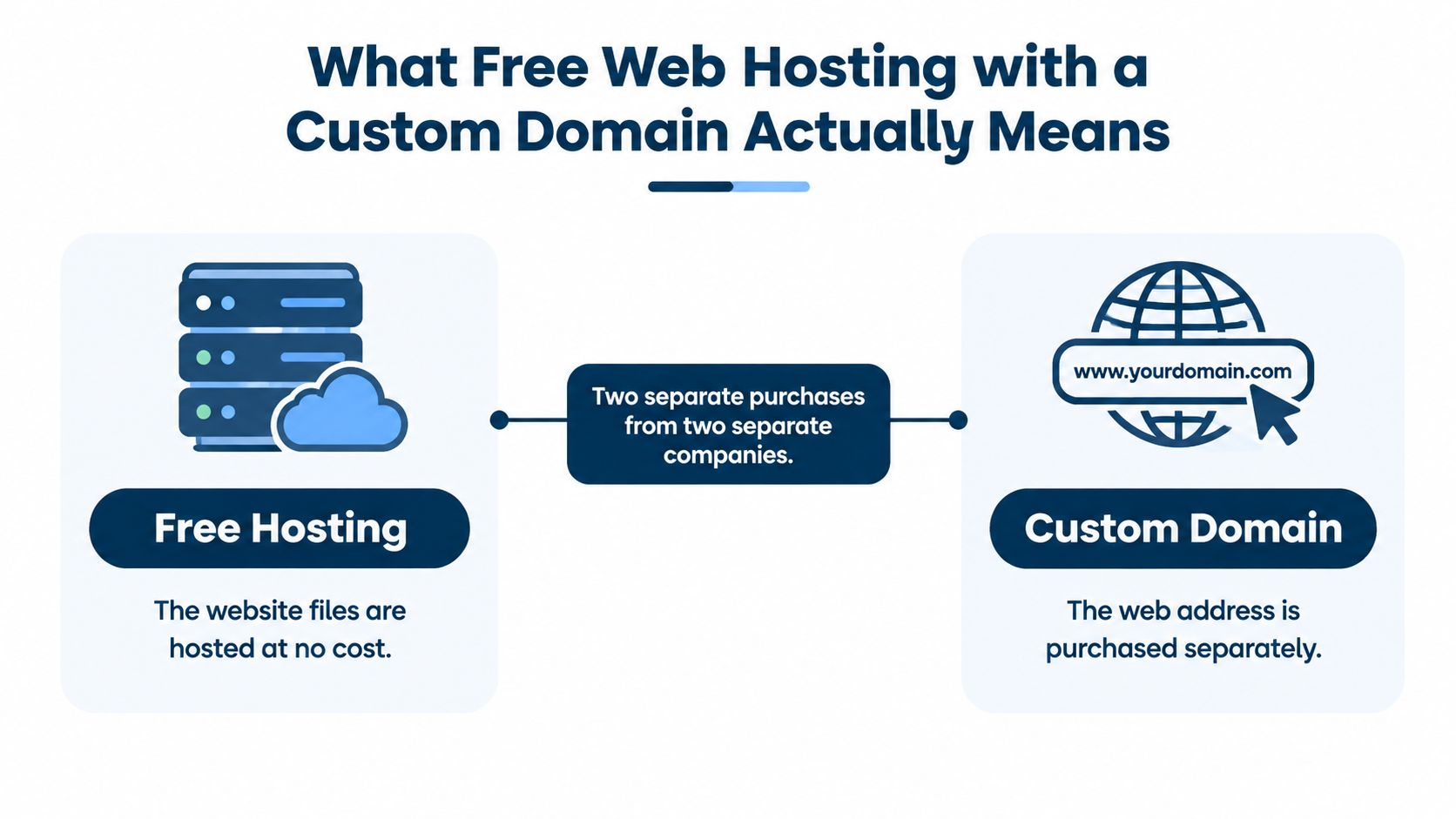
A designer has a portfolio folder ready and a domain registered in a separate account from the one she used for her last project. She can host the files for free, but the domain and hosting remain separate services.
Three parts make the site available at her chosen address:
- Domain registration: She pays a registrar to keep the right to use the web address.
- DNS records: These settings direct visitors' browsers to the hosting service.
- Web hosting: The host stores the website files and serves them to visitors.
Free hosting may provide file storage, a provider subdomain for sharing, and HTTPS encryption. A custom domain is a separate purchase, which the cost section below prices out over three years.
This setup suits portfolios, résumés, event pages, and other simple sites. A static site consists of pages and files visitors can view without a complex application running behind them. Read this guide to what a static website is to check whether that fits your project.
Keep access to your registrar account and its DNS settings. You'll need them to connect the domain, and retaining control makes it easier to point the same address to a different host later.
How a Custom Domain Connects to Free Hosting
DNS is the internet's address book. It helps a browser find where a domain's website is hosted. An authoritative name server stores the official records for a domain, including the destinations a browser needs to reach; it doesn't store or upload the website itself (ICANN's explanation of authoritative name servers).
Say a freelancer owns example.com and wants the portfolio to open at www.example.com. The host gives them a destination value to use for a CNAME record, a type of DNS record that points one name to another. The freelancer signs in to the registrar or DNS provider, finds the settings for www, and enters the destination supplied by the host. They then return to the host's dashboard and ask it to verify that the domain is theirs.
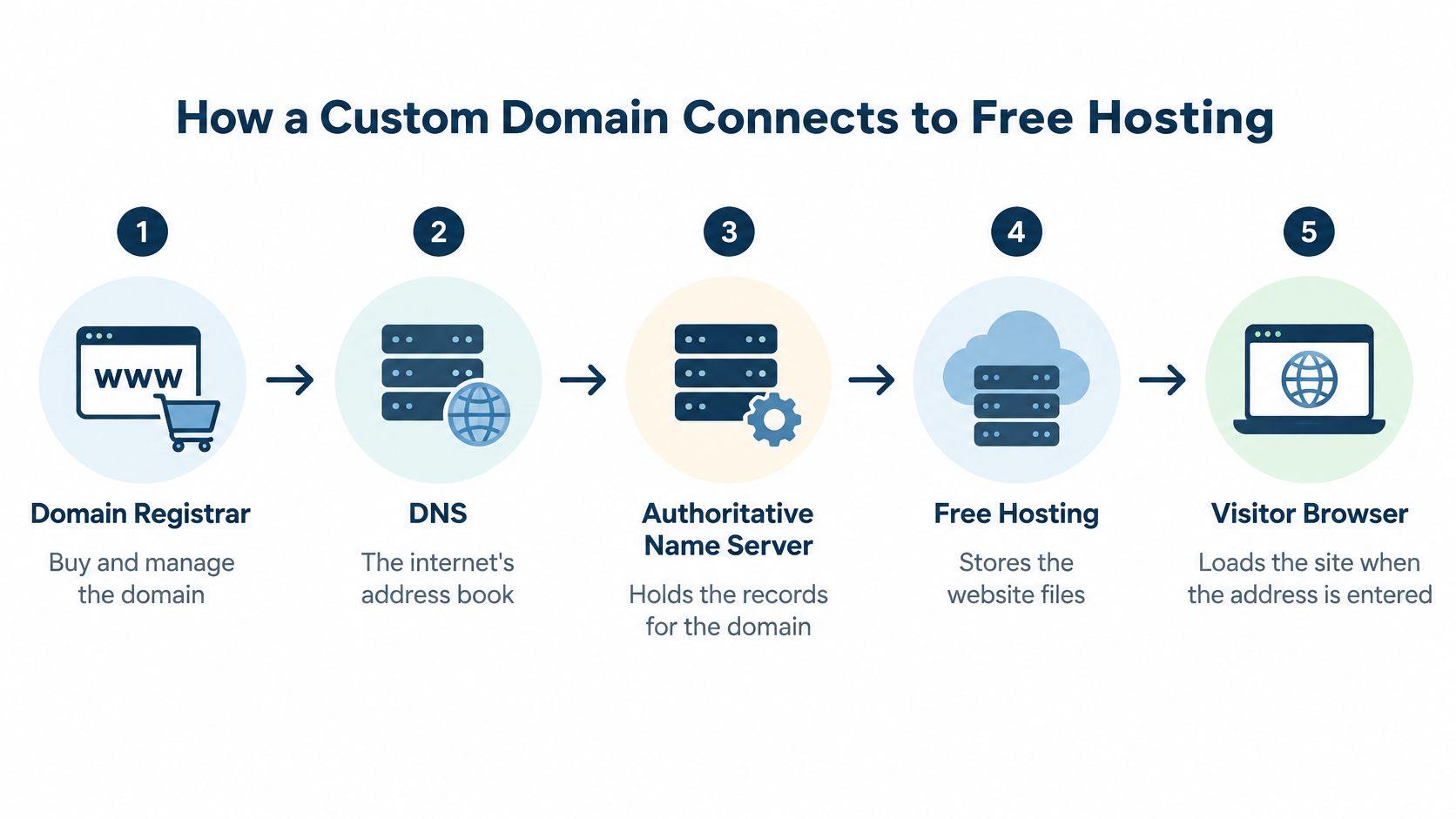
The bare domain, example.com, may need a separate setting from www.example.com. Hosting services explain which record type to use for each; the exact instructions depend on the host and DNS provider, so copy the values they provide rather than guessing.
A domain registrar and a host have different jobs. The registrar manages the domain registration; the host serves the website files. DNS connects the two. When you change a DNS record, different networks can take time to update their cached information. That's why the address might work on one device before it works on another.
Practical rule: DNS points visitors to the website. It doesn't move your files. Upload the site at the host, make the DNS change, and then verify the domain in the host's dashboard.
This short video offers another visual introduction to the connection process.
Comparing Free Hosting Options That Support Custom Domains
A photographer's five-page portfolio and a résumé PDF have different hosting needs. Compare the domain rules and file limits, not just whether a plan is labeled free.
| Hosting path | Custom domain on free tier | Typical trade-off | Suitable for |
|---|---|---|---|
| Free static hosting | Depends on the service | You may need to set up the domain yourself, and storage can be limited | Small portfolios, landing pages, and information sites |
| Free hosting with a provider subdomain | Usually not | Your own domain may require a paid tier | Testing a site or sharing a temporary link |
| Free site builder | Often not | The public address may include the provider's name or branding | Publishing a basic site without managing files |
Check what happens to your address if you stop paying, whether the host provides HTTPS, and whether you can point the domain to a different host later. A provider subdomain is convenient, but it does not give visitors an address under a domain you own.
File size can rule out a free tier before you start. A résumé PDF plus five compressed photos usually fits well inside 25 MB; a folder of uncompressed portfolio images usually does not. For a static site with a few files, Upfling's free plan includes two sites and 25 MB of storage at $0 per month; custom-domain support starts on the Lite plan. This guide to free static site hosting can help you assess whether a file-based approach suits your project.
Setting Up Your Domain Step by Step
Before changing anything, confirm where the domain is registered and where the site is hosted. The registrar is the company where you bought and renew the domain; the host stores and serves your website files. You'll get connection instructions from the host, then enter them in the domain's DNS settings.
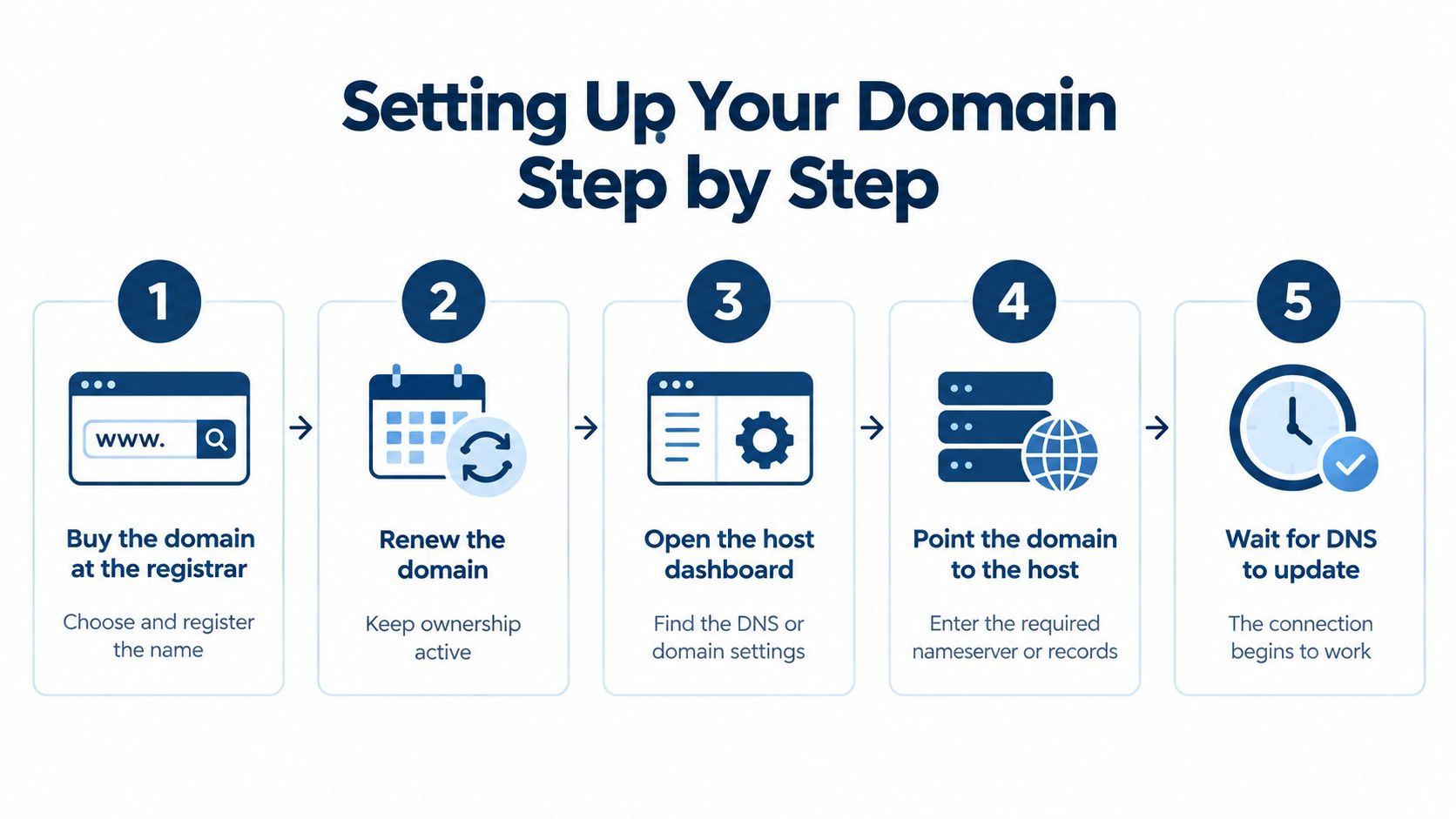
Follow these steps:
- Add the site to your host and upload the files. Check that it opens at its temporary hosting address before connecting your domain.
- Open the host's domain settings. Enter the domain you want to use and note the DNS records the host requests.
- Sign in to the registrar or DNS provider. Find the domain's DNS settings and add the requested record for the root domain,
www, or both. Follow the host's instructions. - Return to the host and verify the domain. The host checks that the domain points to the right place and can be connected to your site.
- Wait for the change to spread. It usually takes a few minutes to a few hours.
- Test the domain on a phone using mobile data. Leave the DNS records alone while the change is spreading.
When the domain opens but HTTPS doesn't
A host with automated HTTPS should issue and renew the certificate for your domain. Under the CA/Browser Forum baseline requirements, publicly trusted certificates issued on or after March 15, 2026 may last at most 398 days, so a host that renews automatically keeps your site working without manual steps (certificate lifetime requirements).
CISA advises checking that a webpage address begins with https, where the “s” indicates encryption (CISA guidance on phishing and spoofing). HTTPS protects the connection between a visitor and a page. It doesn't prove that every file on the page is trustworthy or replace access controls.
If the domain opens but the browser shows a warning, check the host's domain dashboard before changing DNS again. The domain may still be connecting, or its certificate may not be ready. Follow the host's status and instructions, and keep the temporary link available while you wait.
What a Free Site with Your Own Domain Really Costs Over Three Years
The hosting can cost nothing; the domain still has a yearly price. As a working estimate, budget $10–$15 a year, or up to $20 a year if the extension renews at a higher rate.
Three years of ownership means three annual domain charges. At $10–$15 a year, that totals $30–$45. At $10–$20 a year, it totals $30–$60. Those figures cover the domain only. Email, backups, support, or a paid hosting plan add to the budget.
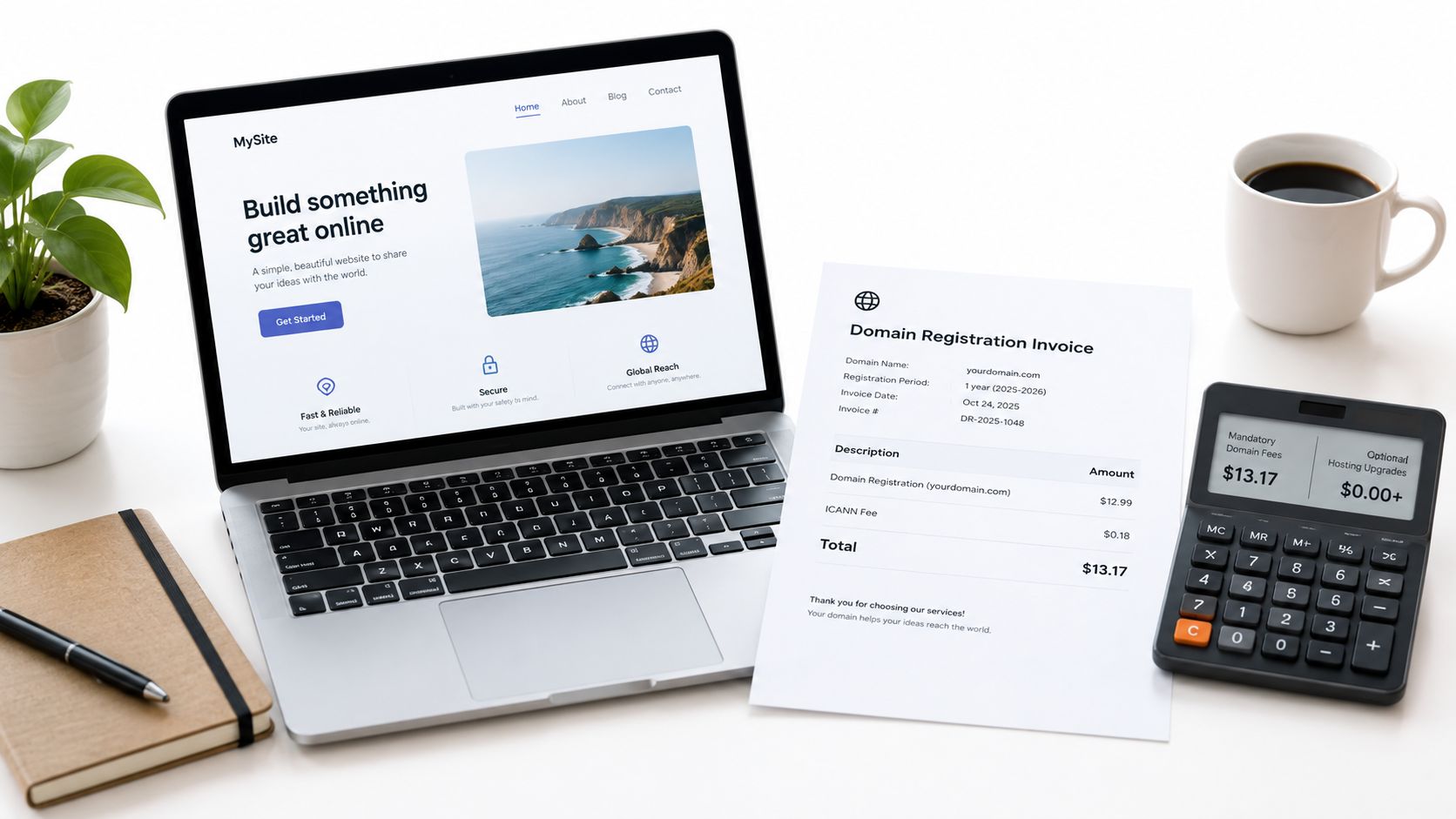
Check Upfling's hosting plan prices and features alongside the renewal price for your chosen domain. A simple static portfolio may not need paid hosting. A site that needs more storage, backups, or business email may have additional costs.
Keep control of the address
Register the domain through an account you control, and make sure you can access its settings if your hosting plan ends. When you switch hosts, keeping the domain lets you point the same public address to the new location.
Before choosing a plan, check whether you can transfer the domain, access its settings, and reconnect it elsewhere. A free tier can work for a simple site, but a free host does not make the domain or optional services free. A free site still has a yearly cost once domain renewal and any email, backups, or support you add are included in the total.
Keeping Shared Files Private on a Public Domain
A résumé at files.example.com/resume.pdf is open to anyone with the address unless access is restricted. The same applies to client drafts and class handouts. A hard-to-guess URL may reduce casual discovery, but it does not control who can open the file.
Robots.txt can guide search crawlers, but it is not an access control. Search engine guidance notes that a URL blocked by robots.txt can still appear in search results if other pages link to it. Password protection is a better choice when only selected people should open a page; a noindex setting can help keep a page out of search results (search engine guidance on robots.txt).
A public address is for sharing. A password-protected link controls who can open what you share.
Check the files as well as the link
Before publishing a document, remove personal details that do not need to be public. If access should be limited, use password protection and check how to replace or remove the file later. An obscure filename is not a substitute for deciding who can access it.
A 2025 study by researchers at CISPA analyzed 109 free-hosting services, identifying 36 that enabled low-effort public file hosting (CISPA research on malicious file distribution in free hosting). In an experiment involving 57 malicious files across 17 providers, researchers found that 21% were removed proactively, while 30% remained accessible after repeated notifications.
Those findings do not mean every free host is unsafe. They do make scanning, abuse reporting, access controls, and clear file-removal procedures practical questions to ask, especially if you plan to publish PDFs, images, or ZIP files. A password-protected link limits who can open a PDF; a secure connection only protects it while it travels.
Choosing Your Path and Taking the First Step
A temporary address is enough to test a site or share a draft. For a lasting public address, use a domain you control and choose a host that lets you test the site before connecting it. If you're publishing client work or classroom materials, decide who should have access and how you'll replace or remove files.
Start with a short checklist: keep the domain in an account you control, as covered in the cost section above; test on a temporary address before connecting the domain; and confirm what happens to connected domains if a paid plan lapses. On Upfling, domains are paused if a plan lapses and resume when a paid plan is active again.
Upload your website folder or ZIP, check that pages and links work, then connect your domain. Separating those steps makes it easier to spot whether a problem is in the site files or the domain setup.
Upload your website folder or ZIP to Upfling to get a live HTTPS link, then connect a custom domain when you're ready for your own name in the address. Test the temporary link first, and you'll know your site is working before you touch DNS.